Local-first Windows software

Infin8 Software, Real Control.

Infin8 Assistant is the main system: a controlled local command layer for work, business and personal management. Around it, focused standalone applications handle video creation, website reconstruction, and Windows optimization without turning every job into another cloud subscription.

Infin8 Assistant dashboard showing Fin camera, local Ollama, and Discord Assistant runtime controls
Fin gives Infin8 Assistant a visual voice presence while conversation stays connected to real, approval-gated work.
Main product · Local AI operations

Infin8 Assistant keeps the whole operation connected.

Text or voice requests can become real, controlled actions across projects, tasks, calendar, notes, releases, business records and registered development tools. Actions are prepared, approval-gated where appropriate, executed by the connected subsystem and recorded in activity logs.

  • Projects and releases tracked with version, status, and a verified checksum.
  • Tasks, calendar, notes, and time in one record instead of four tools.
  • Built-in workspaces for analytics, contacts and deals, and accounting.
  • One search across everything you have recorded, plus your project files.
  • Fin visual voice and local virtual-camera controls for Discord calls.
The Infin8 Assistant navigation rail: Dashboard, Creator Control, Discord Assistant and Database Admin above grouped Work, Build & Ship, Business and System sections
AI you stay in charge of

An assistant that asks before it acts.

The assistant reads your records and does the tedious part for you, but it never changes anything on its own. Every change is prepared as an exact action and waits for you to approve it, so you always know what happened and why.

You can talk to it, too. Dictation and spoken replies are built in, with your choice of audio output. Fin adds a dedicated visual Assistant window and local virtual-camera route for Discord calls.

Two queued actions, each showing who requested it, with run action or dismiss controls
Nothing is saved until you approve it.
Business operations

Run the business mailbox from the workspace.

Email Management connects every creator and business mailbox, reads live Gmail, shows the CRM context behind a sender, and prepares outreach - all from the same window as your projects and records.

The boundary is the interesting part. Reading a mailbox runs directly; archiving, CRM writes, campaign changes and anything that sends are prepared and held. Fin will refuse outright rather than improvise: asked to draft a customer email with no consented contacts on file, it says so and offers the two real ways forward.

  • Live inbox, triage and CRM matching in one place.
  • Drafts are created for review - sending stays a separate, exact approval.
  • Voice and manual controls share one identity, one audit trail.
  • Marketing consent is a record, not an assumption.
The Infin8 Assistant Email Management workspace: Gmail accounts, live inbox, compose-and-approve, and a voice command reference listing read, triage, draft and verify phrases
Read runs. Send waits for you.
Evidence, not improvisation

It tells you why it stopped.

An assistant that invents a customer list to look helpful is worse than one that refuses. Asked to prepare customer email against an empty CRM, Fin reports exactly what it found - no accounts, no paid orders, no active entitlements, no consent records - and asks whether to sync from the protected operator API or work from details you supply.

Fin explaining it cannot draft a customer email because the customer relationship snapshot shows zero accounts, orders, entitlements and consent records, then offering to sync from the operator API or use supplied details
The refusal carries its own evidence.
Voice and video assistant

Fin gives the Assistant a face and a voice.

Fin is the visual side of Infin8 Assistant: a dedicated Assistant window that speaks its replies, shows what it is doing, and holds every prepared action in view until you approve it. Ask for something out loud and Fin answers out loud.

It also runs a local virtual camera. Fin captures its own window straight into a camera device your calls can select, so the Assistant can join a Discord call as a visible participant. Capture stays local and does not launch or modify your streaming software.

  • Spoken conversation with the local model, no cloud round trip.
  • A local virtual camera route built for Discord calls.
  • Wake word for Discord, spacebar to continue on the dashboard.
  • Queued actions stay visible and still wait for your approval.
The Fin Assistant window: the assistant response pane reading “Hi, I'm Fin, how can I help you?” beside a live Current Action panel
Fin speaks the reply and shows what it is doing right now.
Focused standalone applications

Purpose-built tools beyond the Assistant.

Each application owns one demanding workflow and remains usable as its own Windows product.

AI-assisted video creation

Infin8 Editor

A local-first studio for widescreen and social video, with a multitrack timeline, project and media import, captions, titles, looks, live preview, persistent projects and H.264 export.

  • Local Ollama or optional OpenAI planning for validated, undoable timeline commands.
  • Widescreen, portrait, reels, square, lyric, music-video and promotional workflows.
  • Imported Premiere projects stay protected and generated code is never executed.
Infin8 Editor local-first AI video editing studio
Visual website reconstruction

Infin8 Design

A standalone workspace for opening real website folders, preserving their design and evolving them through controlled local editing instead of replacing the existing project.

  • Editable components, asset and brand-style preservation, and responsive preview.
  • Direct canvas movement, resizing and keyboard-based text editing.
  • Reliable round-trip export back to production-ready site files.
Infin8 Design editing the Infin8 Apps website with page components, a live preview and page inspector
PC optimizer and diagnoser

Infin8 Optimizer

A native Windows dashboard for understanding the computer before changing it: hardware visibility, bounded benchmarks, diagnostics, cleanup and guided performance optimization in one explainable workspace.

  • Hardware-aware checks and Windows diagnostics.
  • Bounded benchmarks and guided cleanup instead of blind one-click claims.
  • Built as a standalone C++17 and Qt 6 Windows application.
Infin8 Optimizer system dashboard showing a health score with CPU, RAM, GPU, device and disk readouts
Local Windows monitoring

Infin8 Sentinel

A local workspace for reviewing network connections, application activity and hardware signals before deciding what needs attention.

  • Live process and connection views with filters and review priorities.
  • Local network, hardware and diagnostic workspaces.
  • Explainable signals and deliberate actions; a warning alone does not prove malicious activity.
Infin8 Sentinel Processes workspace with live application activity, review priorities and connection counts
Hosted creator studio · Powered by Infin8 Apps

Accentu8It, now in early access.

Accentu8It, powered by Infin8 Apps, is a browser studio for music and lyric videos. The Accentu8It Director plans a storyboard from your song and your pictures, and the Accentu8It Studio renders it with word-timed lyrics. Nothing to install.

Open Accentu8It
Music and lyric video studio

Accentu8It

Bring a song with your own clips and images. The Director lays them out to the music, you choose the lyric look, and the Studio renders a finished video ready to post.

  • One asset library shared by every project.
  • More than thirty animated lyric looks, plus presets you can save and reuse.
  • Renders ready for YouTube, Shorts and TikTok: 720p with a watermark on the free plan, 1080p on paid plans.
  • Sign in with your Infin8 Apps account; your songs, clips and renders stay with it.
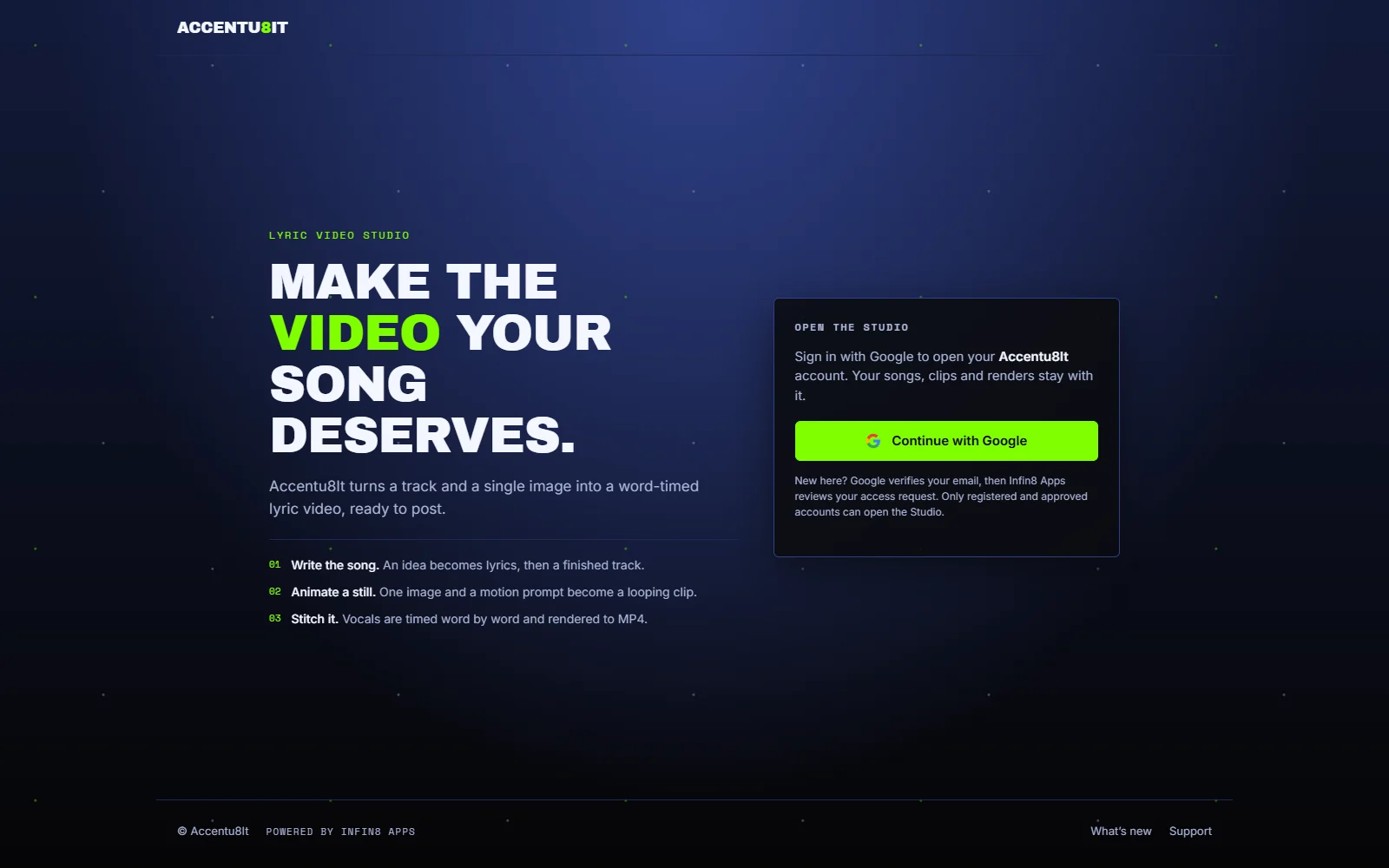
The Accentu8It Studio entry page: write the song, animate a still and stitch a word-timed lyric video, with Google sign-in to open the Studio
New in the Accentu8It Director

Plan, price and fit a music video from your own pictures.

Every scene on its best model. The Director picks the model for every scene: lip sync for singing shots, motion for the rest, and free camera moves or stills where they are enough. It prices the whole video before anything is billed, and the routes update as soon as the song, timing or pictures change.

Quick budgets. Economy, Best value, Best quality, or your own cap: Fit to cap builds the best plan under the amount you type, retry allowance included. A budget sets every scene’s route and starts nothing. Each scene card shows its model, the reason it was chosen and its price, and you can override any of them.

Planning from your pictures. Plan with my supplied images runs as a background job and keeps every picture, approval and song time you chose. It is free when your project’s AI route is Free or Automatic.

Picture Auto-fit. Auto-fit cuts your stills to the music’s beats, with punch-ins on the beat, and fills the whole song.

One pop-out AI editor. One AI editor assistant opens beside your storyboard or your manual edit. Dock it, pop it out into its own window, or close it; it sees the scenes and lyric lines you picked.

Lyric sets. A lyric set gives each part of the song its own mix of lettering styles from one matching family, placed by the storyboard. Step 2 and Manual tell you when a Director lyric set will style your words, and planning never overrides the lettering you chose.

Honest progress. Jobs say what they are actually doing: planning, beat analysis and assembly say “free · nothing billed”, and paid work says “paid”. Each step reads the saved project, so a step shows as done only when it is.

Layouts that stay current. Review always shows your current look. A preview from an earlier design is marked out of date and asks you to Prepare, and an old export is never shown as your current video.

Accentu8It release notes

What’s new

October 19, 2026 · Every scene on its best model. Automatic routing for each scene, with Economy, Best value, Best quality or your own cap, and one quote for the whole storyboard.

October 19, 2026 · Previews you can trust. Jobs mark free work as nothing billed, Review never plays a preview from an earlier design, and Step 2 and Manual tell you when a lyric set will style your words.

October 19, 2026 · New master, same timing. Swap in a new master of the same song: Accentu8It measures the offset, and your lyric timing and scenes move with it.

October 19, 2026 · Large media from your assistant. Songs and clips up to 95 MB sent by your AI assistant go straight to your Studio and are checked byte for byte before they are saved.

October 19, 2026 · Planning and picture Auto-fit. Plan a storyboard from your own pictures, free on the Free and Automatic routes; cut your stills to the beat; and open one AI editor assistant beside the storyboard or the manual edit.

October 18, 2026 · A new name. Accentu8It is the new name for the Infin8 Apps lyric video studio. The Studio lives at accentu8it.infin8apps.com.

Coming to the Director. Transitions, camera moves, beat flashes and colour matching picked for every scene from your song, with a before-and-after preview and your own override. Cleanup for low-quality photos. A layout picker that keeps lyrics clear of faces and mics, bigger multi-style lettering per section, and letter-by-letter presets for spelled-out words. Real faces and ages kept from the photos you supply, every new picture checked and remade for free when it fails on a free or local route, and one-scene regenerate on free routes. A retired model handing its scenes to the next best one, showing the new price first.

Coming to the AI editor and the Studio. The assistant making the edits it suggests as named steps you can undo or redo, showing which writing route it uses, and following your playhead. Projects handed to the Infin8 Editor and back. Step 2 and Manual previewing the exact lettering your export draws, every built-in look in the Accentu8It theme colours, live activity in place of a stuck percentage, and resumable uploads. Each one moves into What’s new once it is live.

Every release, in plain words. The Studio’s own What’s new page carries the full list of Accentu8It release notes, matching the notes posted on our Discord.

Why it is built this way

Powerful, and still yours.

Your work stays with you. Local databases, models and project files keep the useful parts of AI close to the machine where the work happens.

Changes stay reviewable. Approval gates, undoable edits, bounded diagnostics and validation make automation useful without hiding what the software changed.

Availability and updates

Delivered online, improved continuously.

Infin8 software is delivered and kept current online, so fixes and new features reach you as they are finished. When a release changes something you rely on, it is written down.

Version 0.1.0 is the first release. Infin8 Audio and Apps access is limited to approved creators and sponsors while their hardware is tested. Purchasing remains disabled. Verified accounts provide approved protected downloads and hardware-bound activation; current installers may be unsigned. Ordinary customer licenses require an online entitlement check, while an explicitly signed owner license is the only offline exception. A future free 15-day trial is planned through the purchasing flow when public access opens; no public trial is available today. Infin8 Assistant customer release and its personal Discord bot are deferred. Custom voice models are not bundled. Accentu8It remains a separate hosted early-access product.

Early access and purchasing

Be first in line on Discord.

Join the official Infin8 Apps server for release news, early access, and purchase questions while website checkout is being integrated.

Join discord.gg/Infin8Apps